
Why Elementor is the best Page Builder to build a user-friendly website
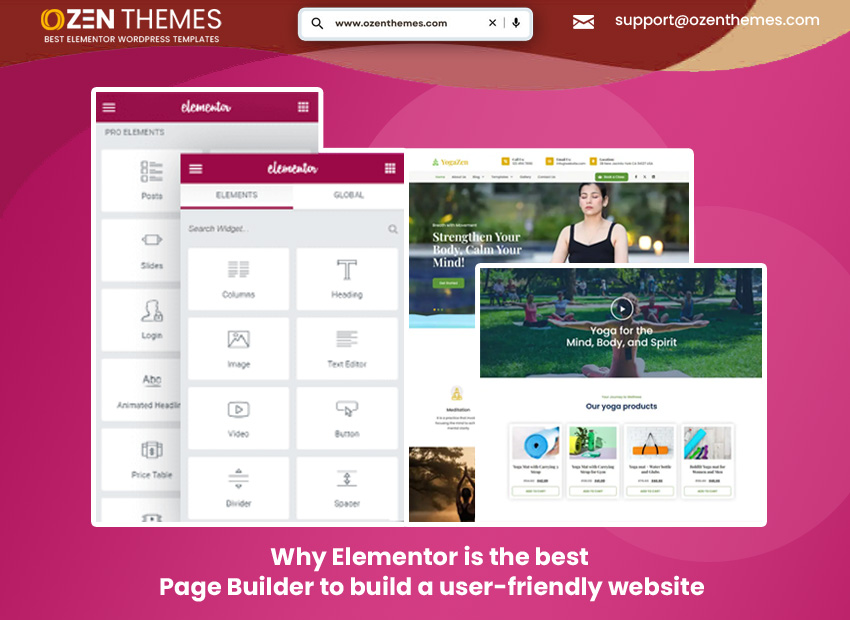
Everyone needs a website in today’s business environment. Whether you are a manufacturer, service provider, professional, consultant, trader, educationist, into philanthropy, or engaged in any other occupation, you require an online presence. If you are a beginner, just starting out, do not have a big budget and are looking for something simple that you can preferably manage yourself, what will work for you is an Elementor Page Builder to help you get your website live. Different entrepreneurs at different stages of growth with varying budgets may look for different things in their website. Let’s learn what makes Elementor the best Page Builder for those who want to own a user-friendly website that they can make changes to and polish to keep it looking and sounding fresh all the time.
Start Searching For User-friendly Website Options
Once you start searching for a website you will be flooded with options as there are a lot of WordPress page builders in the market. The vast choices can actually confuse you and make it difficult to decide which one will work for you and make your business look professional and at the same time will offer a good exploring experience for the visitor. And over and above appearing professional and being functional if you also want the platform to be SEO-friendly, you won’t be disappointed. Elementor Page Builder is SEO compatible, easy to use, that will not only create attractive pages but are also programed to be optimized for search engines. The add-ons that come with Elementor enhance its SEO power.
What Makes Elementor Page Builder the Best Option?
Design Style: The design approach of Elementor Page Builder is much like Lego blocks. So don’t think of it as something that requires technical knowledge and coding experience etc. Besides Elementor offers visual, inline editing i.e. What-you-see-is-what-you-get (WYSIWYG) option. The drag-and-drop is directly on the page with real-time and responsive controls. Editing results show immediately results.
Ease of use: For those using or planning to use Elementor are not required to have expertise in coding skills or familiarity with programming. Especially for new users and start-ups just starting out, Elementor proves to be very convenient. It comes with intuitive panels, global styles, theme builder, and the prebuilt Templates add up to speeding up workflows.
Features & Functionalities
Elementor gives you access to a comprehensive widget library. You also get to use advanced styling options, it offers motion effects, responsive controls, custom CSS per element among other things. With this theme Builder you can decide to create header, footer, single post, archive templates etc. without worrying about or dealing with technical and coding issues. For those seeking to display a professional look can include form for customer contact. Popup Builder and Form widget in Elementor makes it a popular option by people looking to create a professional presence. This page builder also let you control site-wide colors/typography. You can change background colors, images, font face, and font size etc. to suit your brand colors and image.
Performance and Clean codes:
When you use Elementor it comes with clean front-end output. The person using it correctly can optimize it for best performance. You also get features like dynamic content and lazy-loading. When you use professional version or premium version of Elementor page builder you get added features that will reduce your dependency on extra plugins.
Web Developer friendly
With Elementor you benefit because of its well-documented developer API, hooks, a growing ecosystem of third-party widgets and integrations. It is easier for web developers or users to create widgets as per their specific requirement with modern JS/CSS structure.
Compatibility and ecosystem
Elementor has broad and expanding third-party plugin ecosystem available, many themes are built specifically for Elementor, active community. When you learn to use content/HTML structure and plugins correctly Elementor lets you create SEO –friendly websites.
Free & Paid both Plans Available
Elementor has both free and paid plans to choose from. While free plans come with basic standard features, paid or premium plans have forms and plug-in compatibility like woo commerce etc. among other benefits. Elementor doesn’t use short codes. This means when you turn off the page builder there’s no mess.
Who and when one should opt for Elementor Page Builder
Entrepreneurs, professionals, consultants whether they’re start-ups or established who’re looking for modern design that they can build quickly, and something that offers a sensible work flow can go for Elementor. If you’re looking for live front end editing, Elementor is a great option. If you are looking to integrate the theme with popups, forms, and global styles without having to use any extra plugins for them Elementor is definitely a great option. For entrepreneurs looking for something they can manage without any coding or HTML knowledge, Elementor is great! People interesting in getting a website with active development & modern JS/CSS architecture, this is a good choice to go for. Portability or migration is also possible on this page builder.
Elementor is a very popular page builder because of various conveniences and ease of offers it offers. People across the globe have been very fast on the uptake of Elementor over other competing page builders. It has gained many users since its launch. It gives you freedom to use free version before opting for or purchasing paid version. To learn how to use Elementor you can watch video and learn how to use this page builder saving time and energy. For people who are looking for an aesthetically designed website with some common interface then go with Elementor. It looks great, functions well, helps you rank in search engines to drive traffic, the design improves conversion as it offers good user experience.
Make Your Business Idea Soar and Taste Success!
If your business idea is good, you have a plan ready to launch it, don’t compromise on website. Go for Elementor page builder with which you can easily build a beautiful looking and functional website. It’s easy to build and won’t require long hours. The user friendly interface will take you miles saving you time, effort, and money. A little later when you reach a stage where you want it to look more professional and have more plug-ins and integrations you can take pro version! It is as simple as that!